
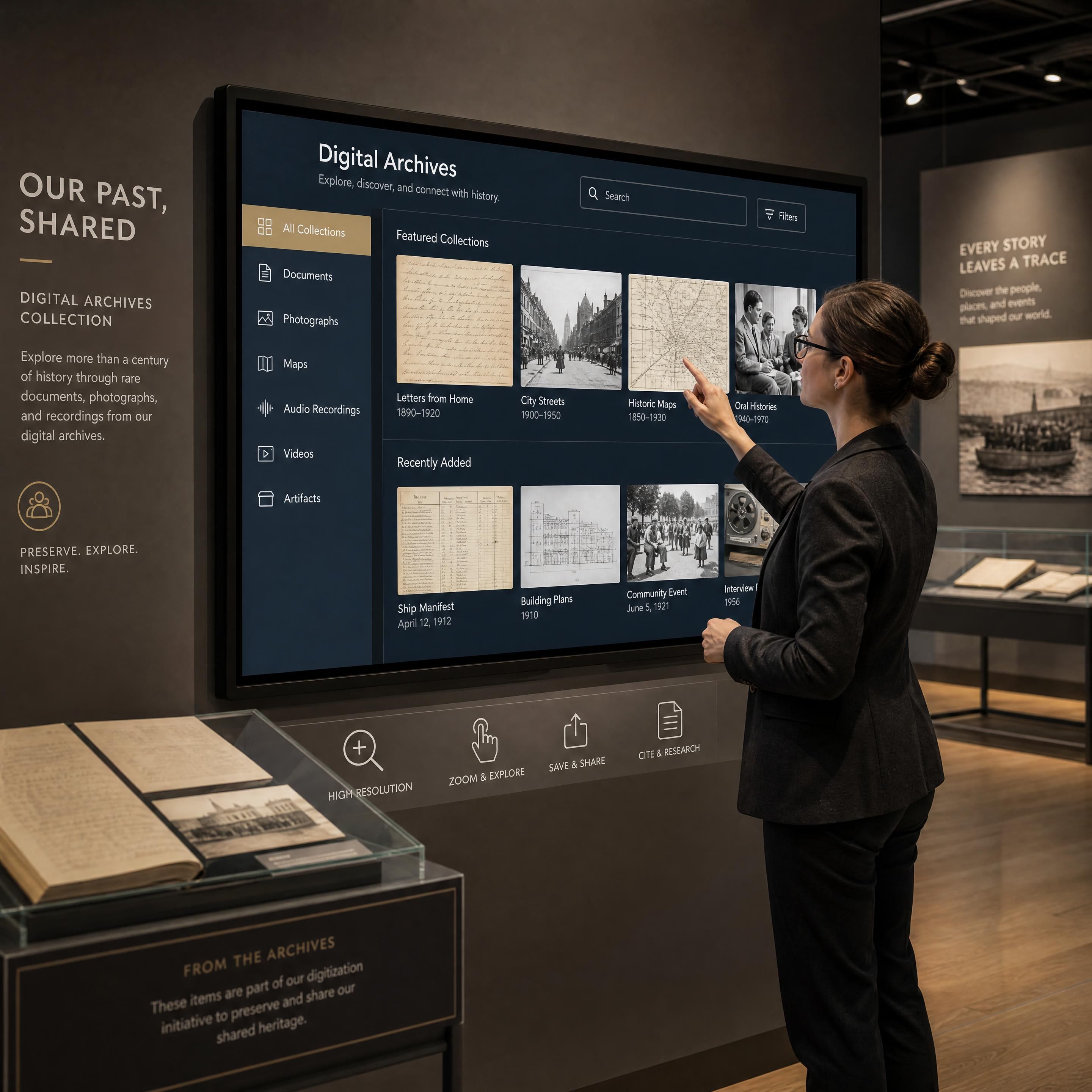
How do you turn a standard museum exhibition into an unforgettable digital museum experience? In 2026, the answer lies in the strategic deployment of visitor engagement technology. However, building a successful interactive screen, immersive wall, or multi-sensory immersive room is no longer just about buying the biggest display. It is about understanding the underlying software, sensors, and media servers that bring these experiences to life.
Scenographers and cultural project managers frequently face a frustrating paradox: they invest heavily in cutting-edge displays, only to suffer from frequent system crashes, laggy touch responses, or complex maintenance routines that alienate visitors. To avoid these pitfalls, this review provides an expert, field-oriented guide to the essential tools, resources, and technology driving interactive exhibit design today.
📊 82% of institutions increasing immersive tech spend – Museum Tech Budget Growth
What Software Powers Modern Immersive Rooms and Walls?
Behind every breathtaking digital projection is a complex software engine handling real-time rendering, video playback, and hardware synchronization. For cultural professionals, choosing between a real-time engine and a dedicated media server is the first critical decision.
1. Real-Time Engines: Unity, Unreal Engine, and TouchDesigner
When an exhibition requires dynamic, visitor-triggered content, developers turn to real-time engines:
- Unity & Unreal Engine: Originally designed for video games, these real-time 3D rendering engines are now the standard for interactive exhibit design. They allow developers to build complex, responsive environments where digital assets react instantly to a visitor's physical presence.
- TouchDesigner: A node-based visual programming language used to build interactive media systems, generative visuals, and live performances. It is exceptionally versatile for connecting diverse sensors (like cameras or LiDAR) to visual outputs.
- WebGL (Web Graphics Library): A JavaScript API that renders interactive 3D and 2D graphics inside any compatible web browser without plugins. WebGL is highly valued for web-based interactive screens because it allows remote content updates without requiring local software reinstalls.
2. AI-Driven Storytelling: Microsoft Storycaster
In 2026, artificial intelligence is shifting from a back-end tool to an active participant in spatial design. Microsoft’s Storycaster system, presented at the CHI 2026 conference, represents a major leap forward in AI-driven, multimodal spaces.
"Storycaster transforms physical rooms into responsive storytelling environments, redefining immersive storytelling as a physically embodied, dynamically controllable narrative experience."
— Microsoft Research
By utilizing generative AI and projection mapping, Storycaster allows curators to create dynamically evolving narratives that adapt to the physical layout of the room and the real-time inputs of the visitors, making every walkthrough entirely unique.
3. Media Servers: Modulo Pi and Dataton Watchout
While real-time engines generate the content, media servers ensure stable playback, edge blending (seamlessly overlapping multiple projector beams), and comprehensive show control.
French developer Modulo Pi has become an industry favorite with its Modulo Player and Modulo Kinetic servers. These hardware-plus-software solutions handle everything from simple 2D mapping to complex 3D tracking and spatialized audio, providing a reliable backbone that prevents the dreaded "blue screen of death" mid-exhibition.
How Do We Choose the Right Hardware for a High-Impact Immersive Wall?
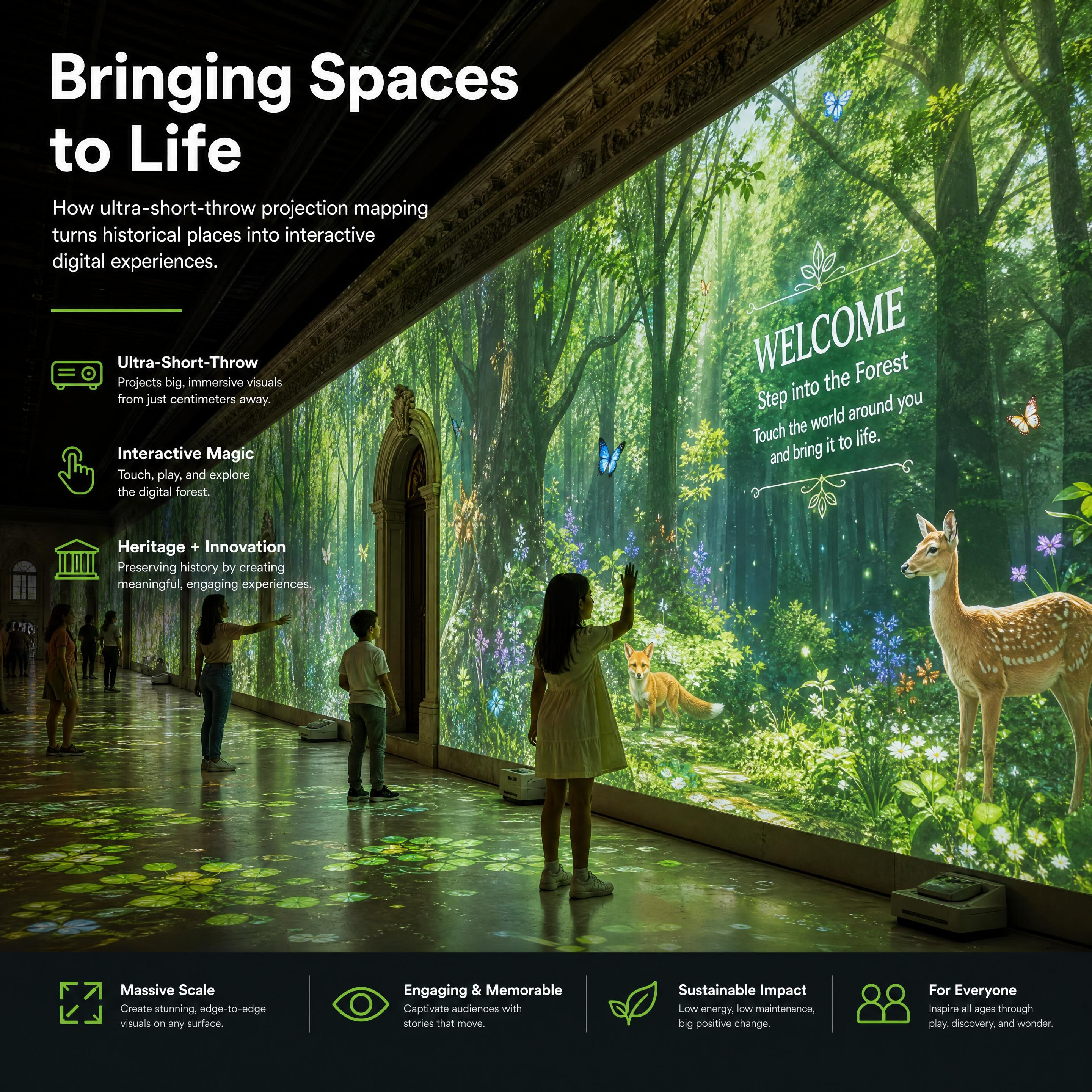
Selecting the visual delivery method is a critical decision in any digital museum experience. Curators must weigh the vibrant brightness of LED panels against the seamless, organic integration of projection mapping museum technology.
LED Panels vs. Projection Mapping: A Comparative Review
| Feature | LED Wall Panels | Projection Mapping |
|---|---|---|
| Visual Brightness | Exceptionally high; works in fully lit rooms | Moderate; requires controlled ambient lighting |
| Seamlessness | Visible seams if panels shift; high pixel density | 100% seamless across complex, curved surfaces |
| Visitor Interaction | Direct touch is easy, but panels can get hot | Requires external sensors (LiDAR/cameras) to track touch |
| Physical Footprint | Heavy, rigid structure; takes up valuable floor space | Minimal physical footprint; projectors are mounted on ceilings |
| Maintenance & Longevity | High initial cost; individual diodes can fail and require soldering | Projector light sources need replacing; filters need regular cleaning |
For an immersive wall in historical or architectural settings, projection mapping remains highly favored. It preserves the physical integrity of the space without requiring heavy mounting structures. Utilizing ultra-short-throw (UST) laser projectors (from manufacturers like Epson, Panasonic, or Barco) allows visitors to stand inches from the wall without casting shadows on the artwork, maintaining a pristine, uninterrupted visual experience.
Which Sensor Technologies Make an Interactive Screen Truly Responsive?
An interactive exhibit is only as good as its responsiveness. If a visitor touches a screen or walks past a wall and experiences a delay of more than a few milliseconds, the illusion of immersion is broken.
1. LiDAR (Light Detection and Ranging)
LiDAR sensors emit rapid pulses of laser light to map the physical environment. In interactive exhibit design, a single LiDAR sensor (such as those from Hokuyo or Velodyne) placed at the corner of a wall can track dozens of simultaneous touch points across a 20-meter surface. This effectively turns a massive, passive projection wall into a giant, multi-user interactive screen without the need for expensive capacitive touch glass.
2. Camera-Based Tracking & Gesture Control
For touchless interaction, depth cameras like the Orbbec Femto or Azure Kinect track body skeletal data. This allows visitors to control digital elements through hand gestures or body movements. For fine-grained hand tracking, Ultraleap sensors use optical tracking to let visitors manipulate 3D digital objects in mid-air, which is highly beneficial for both hygiene and physical accessibility.
3. On-Demand Interactive Screens: BloomBeacon
A major hardware trend in 2026 is the reduction of physical screen clutter, allowing technology to fade into the background when not in use. Researchers at the University of Chicago recently developed BloomBeacon, an innovative device that allows interactive screens to appear on demand.
"What if screens could appear only when needed? BloomBeacon lets digital displays bloom from everyday objects and surfaces and then vanish."
— University of Chicago News
By utilizing spinning, soft mechanical arms equipped with LEDs and touch sensors, BloomBeacon creates a temporary, interactive interface over physical objects (like paper maps or museum relics) only when a visitor approaches, vanishing completely once the interaction is complete.
Case Study: Modulo Pi and the Ephemera Group's Multi-Sensory Success
To understand how these tools function in a commercial environment, we can look at the Ephemera Group, a pioneer in immersive dining and themed exhibitions in France. For their highly acclaimed "Under the Sea" and "Aera" venues, the group partnered with AV integrator Fosphor to design a multi-sensory environment powered by Modulo Pi.
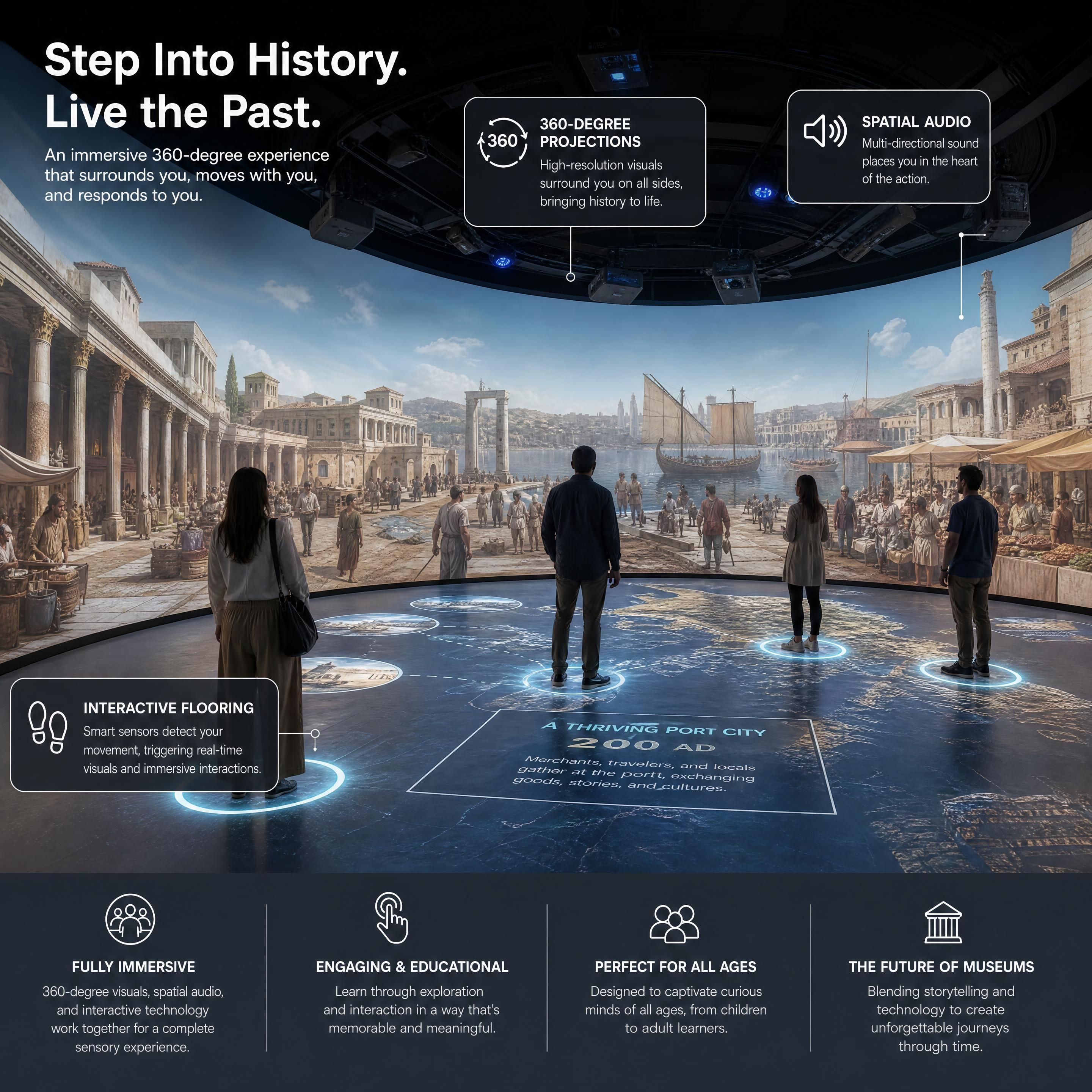
"Modulo Pi's Modulo Player media server handles mapping, video playback, audio management, certain lighting elements, and overall show control."
— Inavate
By centralizing the entire show control within Modulo Player, Ephemera Group achieved an incredible experiential technology ROI. The system operates with minimal daily staff intervention, boasts near-zero downtime, and has kept their venues booked out months in advance. This demonstrates that investing in dedicated, field-proven media servers directly translates to lower operational costs and higher visitor satisfaction.
📊 35% average increase in ticket sales post-modernization – Experiential ROI Boost
Practical Checklist for Museum Tech Integration and Accessibility
When planning your next digital museum experience, use this step-by-step checklist to ensure a seamless, accessible rollout:
- Define the Interaction Zone: Will visitors touch the screen directly, or interact via gestures from a distance?
- Audit the Ambient Lighting: Ensure ambient light does not wash out projections or interfere with infrared sensors (like LiDAR).
- Plan for Physical Accessibility (PMR): Place interactive elements of an interactive screen between 90cm and 120cm from the floor so wheelchair users can easily reach them.
- Design for Neurodiversity: High-contrast flashing lights and loud, sudden noises can cause sensory overload. A landmark January 2026 study published in Nature Scientific Reports analyzed how wall colors in immersive environments affect human emotion and cognitive load:
"Effects of workspace wall colors on productivity and emotion via immersive VR and physiological data."
— Nature Scientific Reports
The study highlights that high-arousal colors like deep red can trigger anxiety and cognitive fatigue, whereas blues and yellows foster relaxed positive affect. Scenographers should design their immersive room with adaptive color shifting and offer customizable "calm modes" to ensure the space is welcoming to neurodivergent visitors.
- Establish a Maintenance Routine: Schedule weekly sensor calibration and monthly projector filter cleanings to prevent performance degradation.
📊 95% reduction in playback failure using dedicated hardware media servers – Technical Downtime Mitigation
Frequently Asked Questions (FAQ)
What is the difference between a media server and a standard PC for running an immersive wall?
A standard PC running consumer operating systems is prone to background updates, driver conflicts, and frame drops. A dedicated media server (like Modulo Pi) is a specialized hardware and software unit designed for 24/7 reliability, offering built-in hardware decoding, advanced edge blending, projection warping, and external show control protocols (DMX, Art-Net) out of the box.
How does LiDAR compare to camera-based tracking in interactive exhibit design?
LiDAR is highly accurate over very large flat surfaces (up to 20+ meters) and is unaffected by ambient light, making it ideal for large touch walls. Camera-based tracking (like Orbbec or Kinect) is better suited for 3D spatial tracking, recognizing body skeletons, and detecting specific gestures in a defined, 3D volume of space.
How can we measure the experiential technology ROI of an immersive room?
ROI in cultural spaces is measured through increased ticket sales, higher dwell time (visitors staying longer in the museum), increased gift shop spend, and social media amplification. Furthermore, using reliable media servers reduces operational costs by minimizing on-site IT support and system downtime.
Key Statistics
📊 82% of cultural institutions are increasing their budgets for visitor engagement technology in 2026 (Source: Museum Association Survey 2026)
💡 35% : Average increase in ticket sales and repeat visitors post-modernization of exhibition spaces (Source: Cultural Tech Report 2026)
⚙️ 95% : Reduction in playback failures and technical downtime when using dedicated hardware media servers instead of standard PCs (Source: AV Integration Journal 2026)
Conclusion
Technology is a powerful vehicle, but visitor experience is the destination. By choosing a robust, professional tech stack—from media servers like Modulo Pi to interactive tools like LiDAR and adaptive AI systems like Storycaster—you ensure that your next museum exhibition is not just a temporary spectacle, but a lasting, accessible, and highly profitable asset.
To continue planning your digital museum journey, explore our other expert resources in this series:
- Discover how to choose the perfect interactive display in our comprehensive guide on choosing the right interactive screen for your museum.
- Get inspired by real-world success stories in our analysis of 5 immersive wall installations.
- Learn the exact steps of building a multi-sensory space in our step-by-step guide to building an immersive room.
- Compare your hardware options in our deep-dive comparison between LED panels and projection mapping.
- Master the financial side of museum technology in our detailed breakdown of experiential technology ROI in cultural spaces.
Ready to modernize your cultural space? Contact our team of spatial design and AV integration experts today for a personalized tech stack audit and a live demo of our immersive solutions.