
Why do some digital exhibits leave visitors spellbound while others feel like expensive, glowing billboards? When designing a modern digital museum experience, curators and scenographers face a critical dilemma: how to choose the right technology to captivate audiences. Whether you are installing a high-resolution interactive screen, building a massive immersive wall, or designing an entire immersive room, the hardware you select defines the visitor's journey. At the heart of this choice is a classic showdown: LED video walls versus projection mapping museum systems. To maximize your experiential technology ROI and elevate interactive exhibit design, you need a clear framework to evaluate these options for your next museum exhibition.
As visitor engagement technology evolves in 2026, the demand for multi-sensory storytelling has never been higher. However, choosing the wrong technology can lead to astronomical maintenance costs, poor visibility, or unengaging experiences that fail to connect with your target audience. Every piece of hardware should serve as a lever for engagement, not an end in itself.
Table of contents
- 1. LED Walls vs. Projection Mapping: How Do They Differ in Practice?
- 2. The Decision-Making Framework: When to Choose LED and When to Project?
- 3. Experiential Technology ROI: Balancing Upfront Costs and Long-Term Value
- 4. Accessibility and Neurodiversity: Designing Inclusive Immersive Experiences
- 5. Case Study: Redesigning the Digital Gallery at the National Design Center
- 6. Practical Checklist for Museum Professionals
- Frequently Asked Questions (FAQ)
- Key Statistics
- Conclusion
1. LED walls vs. projection mapping: how do they differ in practice?
To make an informed choice, it is essential to look past marketing buzzwords and understand the fundamental physical and optical differences between these two mediums.
What is direct-view LED?
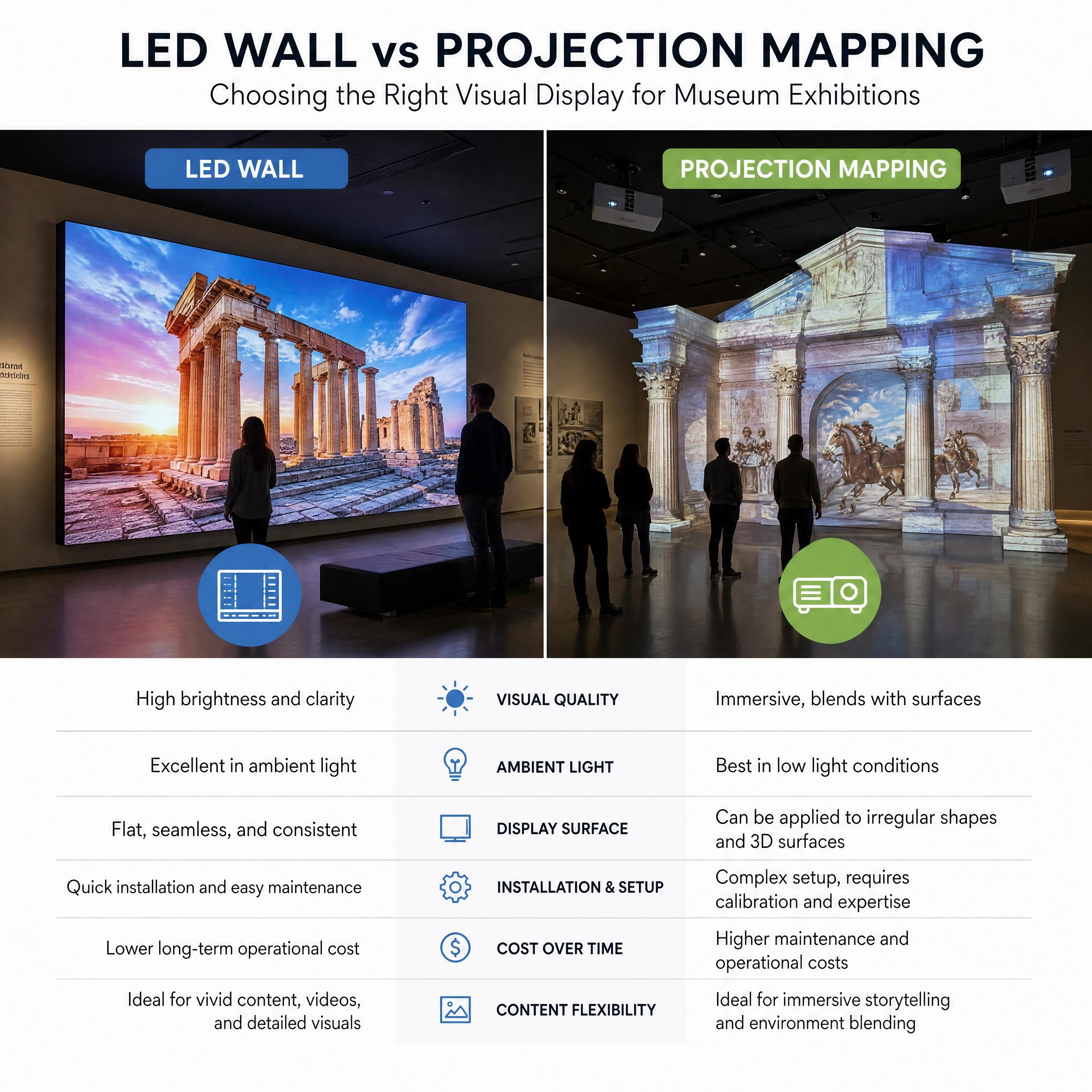
Direct-view LED walls are made of modular panels composed of thousands of tiny light-emitting diodes. Because the screen itself emits the light, LED displays offer unmatched brightness and deep contrast. In 2026, fine-pitch LED technology (where the distance between pixels, or pixel pitch, is under 1.5mm) allows visitors to stand inches away from an interactive screen without seeing individual pixels.
What is projection mapping?
Projection mapping uses high-lumen projectors and specialized media servers to warp, blend, and project digital content onto physical surfaces. Rather than being restricted to flat screens, projection mapping conforms to historic brickwork, curved arches, or 3D sculptures. It transforms the physical environment into a canvas, blending digital stories directly with the museum's architecture.
"Visual medium is no longer just a backdrop; it is the story."
— Lumen & Forge
Quick comparison: LED walls vs. projection mapping
| Criterion | LED Video Walls | Projection Mapping |
|---|---|---|
| Luminosity & Contrast | Extremely high; unaffected by ambient light | Moderate; requires controlled, dim lighting |
| Surface Flexibility | Flat, simple curves, or rigid 90-degree angles | Any 3D shape, historic architecture, or textured surface |
| Physical Footprint | Intrusive; requires heavy mounting and depth | Non-contact; ceiling-mounted projectors |
| Lifespan & Maintenance | Up to 100,000 hours; modular panel replacements | 20,000–30,000 hours (laser); lens cleaning & calibration |
| Interactive Capability | Touch-sensitive overlays or proximity sensors | Camera-based tracking (LiDAR) or radar sensors |
| Reversibility (Historic Spaces) | Low; requires drilling and structural reinforcement | High; non-contact projection preserves structures |
2. the decision-making framework: when to choose LED and when to project?
Choosing between these technologies requires analyzing your specific space, content, and audience. This decision-making framework breaks down the key factors:
How does ambient light influence your choice?
If your gallery has large windows, skylights, or uncontrollable natural light, LED is the clear winner. LED displays easily overcome ambient glare, maintaining vivid colors and high contrast. Projection mapping, on the other hand, is highly sensitive to ambient light. Even a small amount of stray daylight can wash out projected images, making dark scenes muddy and unreadable.
What are the architectural constraints of your exhibition space?
If your museum is housed in a historic building, structural preservation is paramount. LED walls are heavy, rigid, and require robust mounting brackets anchored deep into the walls. They also generate significant heat, requiring active ventilation.
Projection mapping is a "non-contact" technology. Projectors are suspended from ceiling trusses, leaving historic plaster and brick untouched. This makes projection mapping the ideal choice for heritage sites.
What type of content and visitor interaction are you planning?
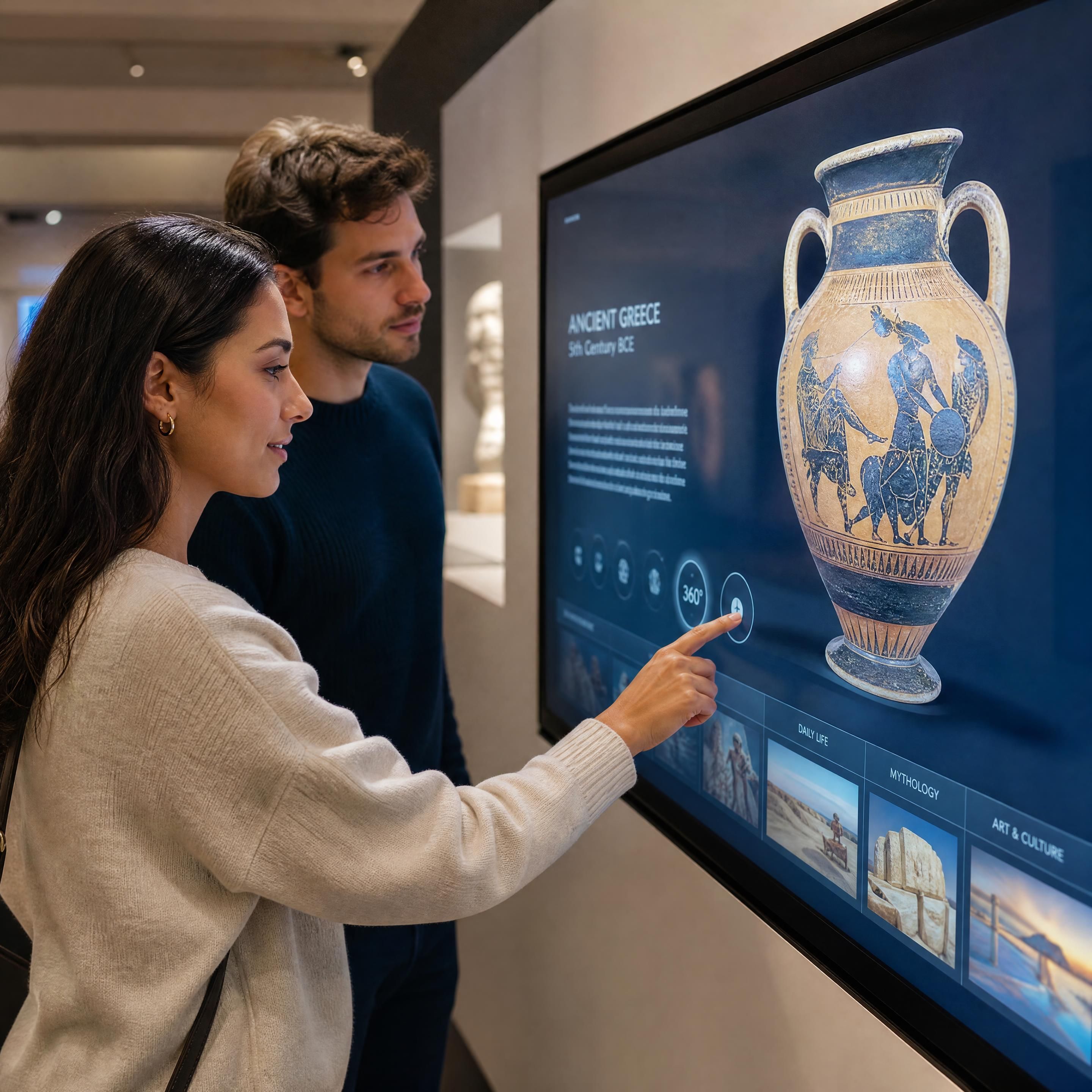
If your exhibition relies on close-up interactions—such as a digital archive where visitors touch a screen to zoom in on delicate manuscripts—a fine-pitch LED interactive screen is superior. It avoids casting shadows. If a visitor stands in front of a standard projector, their body blocks the light, casting a shadow over the interactive elements.
However, if you want to create a massive immersive wall or a 360-degree immersive room where visitors feel enveloped by a digital landscape, projection mapping creates a seamless, cohesive atmosphere that wraps around corners and floors without the visible seams of LED panels.
3. experiential technology ROI: balancing upfront costs and long-term value
Investing in visitor engagement technology requires justifying the budget to board members and stakeholders. A true assessment of experiential technology ROI must balance initial capital expenditures (CapEx) with ongoing operational costs (OpEx).
The capex vs. opex trade-off
LED walls generally demand a higher upfront investment (CapEx), especially for fine-pitch displays. However, their operational costs (OpEx) are remarkably low. With a lifespan of up to 100,000 hours, they can run for over a decade with minimal maintenance. If a single pixel fails, you simply swap out a small modular card rather than replacing the entire wall.
Projection mapping has a lower initial hardware cost, but its OpEx is higher. Laser projectors degrade over 20,000 to 30,000 hours, and their lenses must be kept free of dust. Additionally, building settling, floor vibrations from visitors, and temperature shifts can cause projectors to drift slightly, requiring regular recalibration.
"Interaction is worth the extra investment when it directly drives emotional connection and learning outcomes."
— Roastbrief US
Software and content adaptability
In 2026, content flexibility is a major driver of ROI. LED walls act as standardized digital canvases; updating content is as simple as pushing a new video file through your Content Management System (CMS). Projection mapping is much more complex. Because the content is specifically mapped to the physical geometry of the room, any change in the physical space or the digital content requires re-mapping and alignment by a specialized technician, unless you invest in automated camera-based calibration systems.
4. accessibility and neurodiversity: designing inclusive immersive experiences
A truly successful digital museum experience is one that everyone can enjoy. When designing an immersive room or an immersive wall, accessibility must be integrated into the technology selection process from day one.
Designing for physical accessibility (PMR)
For interactive exhibits, physical placement is critical. If you are using a large LED interactive screen, ensure that interactive zones are placed within reach of wheelchair users (typically between 15 and 48 inches from the floor, according to ADA standards).
Furthermore, if you are using projection mapping on the floor of an immersive room, be mindful of visitors with mobility aids. High-contrast, rapidly moving projections on the floor can distort depth perception, making it difficult or disorienting for cane and wheelchair users to navigate the space safely.
Addressing neurodiversity and sensory sensitivities
The extreme brightness and high refresh rates of LED walls can cause sensory overload, eye strain, or migraines for neurodivergent visitors, including those on the autism spectrum or individuals with sensory processing disorders.
Projection mapping offers a softer, more organic light. Because the light is reflected off a physical surface (like plaster or fabric) rather than emitted directly into the visitor's eyes, it is generally gentler and less overwhelming. To accommodate all visitors, consider implementing "sensory-friendly hours" where LED brightness is dimmed, and high-contrast, fast-moving animations are softened.
5. case study: redesigning the digital gallery at the national design center
To see how these principles apply in the real world, let us look at the 2026 redesign of the National Design Center's flagship gallery. The museum wanted to showcase a massive archive of historic textiles in a way that would engage younger audiences while preserving their 19th-century brick gallery.
The challenge
The design team initially wanted to install a massive LED immersive wall to display the intricate patterns of the textiles. However, structural engineers warned that the historic brick walls could not support the heavy steel framing required for the LED panels. Additionally, the bright, direct light of the LEDs threatened to wash out the delicate physical textile samples displayed in adjacent glass cases.
The solution
The museum opted for a hybrid, highly accessible solution:
- Interactive Screens: They installed three slim, low-glare LED interactive kiosks on free-standing pedestals. These were placed at an accessible height and angle, allowing visitors to zoom in on ultra-high-resolution scans of the textiles.
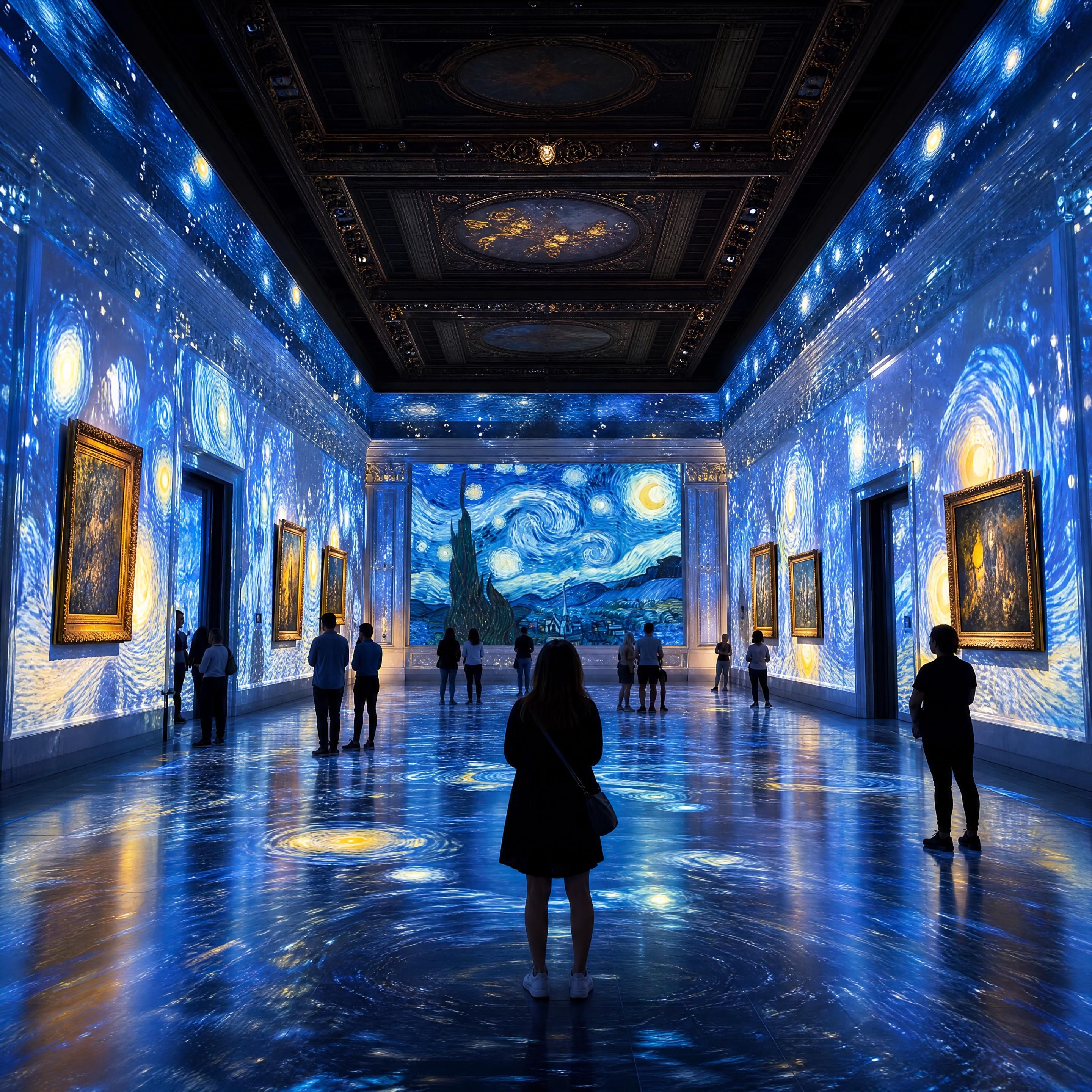
- Projection Mapping: They hung six high-lumen laser projectors from the ceiling trusses. Using advanced camera-based automatic calibration, they mapped dynamic, flowing textile patterns directly onto the historic brick walls and arched ceilings, turning the gallery into a living, breathing immersive room.
- Multimodal Accessibility: They integrated spatial audio that shifted as visitors interacted with the screens, and added tactile, 3D-printed relief patterns of the textiles next to the kiosks for visually impaired visitors.
The impact
By choosing the right technology for the right space, the museum achieved outstanding results. Visitor dwell time in the gallery increased by 58%, and membership sign-ups at the exit kiosks rose by 22% in the first six months, demonstrating a powerful experiential technology ROI without compromising the historic integrity of the building.
6. practical checklist for museum professionals
Before making your final technology decision, run through this practical checklist with your design and technical teams:
- Lighting Audit: Have you measured the lux levels of your gallery during peak daylight hours? (If > 500 lux, lean toward LED; if < 100 lux, projection is highly viable).
- Structural Assessment: Can your gallery walls support the weight and heat dissipation of a heavy LED wall?
- Historic Preservation: Does your building lease or local heritage laws prohibit drilling into or mounting heavy hardware on the walls?
- Accessibility Review: Are all interactive touchpoints positioned between 15 and 48 inches from the floor, with clear space for wheelchair approach?
- Calibration Strategy: If choosing projection, have you budgeted for an automatic camera-based calibration system to handle natural building vibrations and settling?
- Content Lifecycle Plan: Do you have the internal staff and CMS tools to update content, or will you rely on external agencies for every minor change?
Frequently asked questions (FAQ)
Which technology is better for a small museum on a tight budget?
For smaller spaces on a budget, high-quality ultra-short-throw projectors combined with projection mapping are often more cost-effective upfront than fine-pitch LED walls. They allow you to cover a large surface area at a lower cost per square foot, though you must budget for controlled lighting and occasional calibration.
Do LED walls cast shadows when visitors stand close to them?
No. Because LED walls are direct-emission displays (the screen itself lights up), visitors can stand directly in front of them without casting shadows. This makes them ideal for close-up touch interactions and tight exhibition spaces.
How do you handle maintenance for projection mapping in high-traffic galleries?
To minimize maintenance, use modern laser-source projectors (which do not require bulb replacements) and install automatic camera-based calibration systems (like Scalable Atlas or Pixera). These systems automatically realign and blend the projectors in minutes, saving dozens of hours of manual labor.
Is projection mapping safe for historic plaster and brick?
Yes. Projection mapping is entirely non-contact. The hardware is mounted on ceiling trusses or free-standing pillars, ensuring that historic surfaces are never drilled into or exposed to excessive heat, making it highly favored by heritage conservationists.
Key statistics
📊 $4.2 billion – Projected growth in experiential museum technology investments by 2028
📊 100,000 hours – Average lifespan of premium Fine-Pitch LED displays
📊 74% increase in engagement – Post-pandemic visitor demand for interactive exhibits
Conclusion
There is no single "best" technology when it comes to modern scenography. The choice between an LED interactive screen and a projection-mapped immersive wall ultimately depends on your physical space, lighting conditions, and visitor engagement goals. LED excels in bright, high-traffic areas requiring crisp, high-contrast, shadow-free interactions. Projection mapping shines in historic, irregular spaces where you want to blend digital storytelling seamlessly with physical architecture.
By grounding your technology choices in the visitor experience and planning for accessibility and long-term maintenance, you can create an unforgettable, inclusive exhibit that delivers measurable value for years to come.
Ready to plan your next digital gallery? In our upcoming guides of this series, we will explore How to Choose the Right Interactive Screen for Your Museum in 2026 and Immersive Room: From Concept to Grand Opening, Step-by-Step to help you design world-class cultural spaces.**