
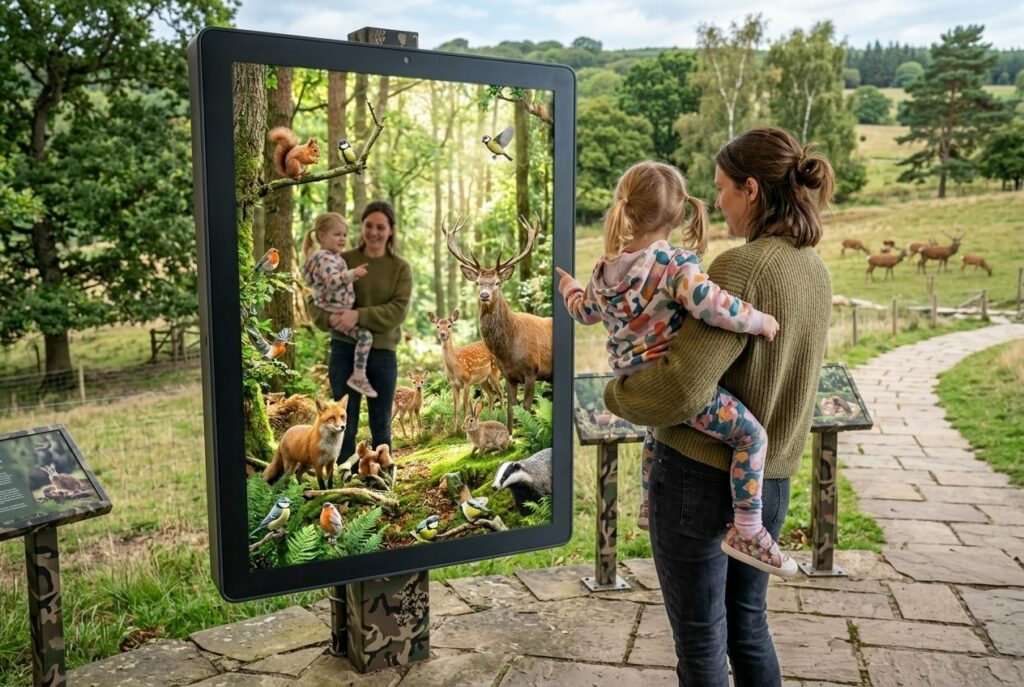
Zoos today face a unique challenge: how to engage visitors while keeping animals as the main focus of the experience. The rise of ar in zoos has introduced new ways to blend digital content with the real environment. AR mirrors offer a solution that educates without creating distractions from the live exhibits.
An AR mirror is an interactive digital display that uses augmented reality technology to overlay virtual elements onto your reflection, allowing you to see yourself transformed into animals, view conservation information, or participate in educational experiences while at the zoo. These smart displays combine cameras, screens, and AR software to create engaging moments that support zoo objectives like wildlife education and conservation awareness. Unlike phone-based AR apps, mirrors work as shared installations that multiple visitors can use together.
You’ll discover how zoos are using this technology to create memorable learning experiences, from virtual try-on features that let you see yourself with animal characteristics to interactive displays that teach about endangered species. This article explores practical applications, real examples from zoos already using AR mirrors, and what you need to know about how this technology works in zoo settings.
What Is an AR Mirror for Zoos?
Choosing an ar mirror for zoo environments allows facilities to bridge the gap between traditional viewing and digital immersion. These installations serve as focal points that draw crowds and encourage group participation.
An AR mirror for zoos combines large-screen displays with camera technology to create interactive experiences where you see yourself alongside digital animals and educational content. These mirrors work differently than smartphone-based AR by using dedicated hardware that multiple visitors can use at once without needing their own devices.
Definition and Core Features
An AR mirror is a large-screen display system that uses a camera and computer vision to detect your position and overlay digital content onto a live video feed. When you stand in front of the mirror, you see yourself on screen with virtual animals, information panels, or interactive elements appearing around you.
The core features include real-time motion tracking that follows your movements, gesture recognition for controlling the experience, and pre-programmed content about specific animals or conservation topics. Unlike virtual reality systems that block out the real world, AR mirrors keep you aware of your surroundings while adding digital layers.
You can take photos or videos of your interaction to share on social media. Many systems include automatic saving options that send images to your phone through QR codes or email.
How AR Mirrors Differ from Other AR Experiences
AR mirrors differ from smartphone-based zoo apps in several key ways. You don’t need to download anything or scan QR codes throughout your visit. The mirror provides a shared experience where groups can participate together in front of one screen.
The large display size makes AR mirrors more visible and engaging than phone screens. Multiple people can see and interact with the same content simultaneously, which works better for families or school groups.
Computer vision in AR mirrors tracks full-body movements rather than just phone orientation. This allows for more complex interactions like posing with virtual animals or completing physical challenges. The technology also handles all processing on dedicated hardware, so performance stays consistent regardless of visitor device quality.
Hardware and Software Components
An AR mirror system requires several hardware components working together. The main display is typically a 42-65 inch screen mounted vertically like a mirror. An RGB camera captures your image and movements in real-time.
A processing unit runs the computer vision algorithms and renders the augmented reality content. This computer needs enough power to handle live video processing, motion tracking, and 3D graphics simultaneously.
The software includes motion detection algorithms, content management systems for updating displays, and user interfaces that respond to gestures or touch. Some systems add depth sensors for more accurate tracking or green screen capabilities for cleaner compositing.
Many installations include lighting systems to improve camera performance and touchscreen overlays for additional interaction options. The software can be programmed with custom animal models, educational information, and branded elements specific to each zoo.
Benefits of Using AR Mirrors in Zoos
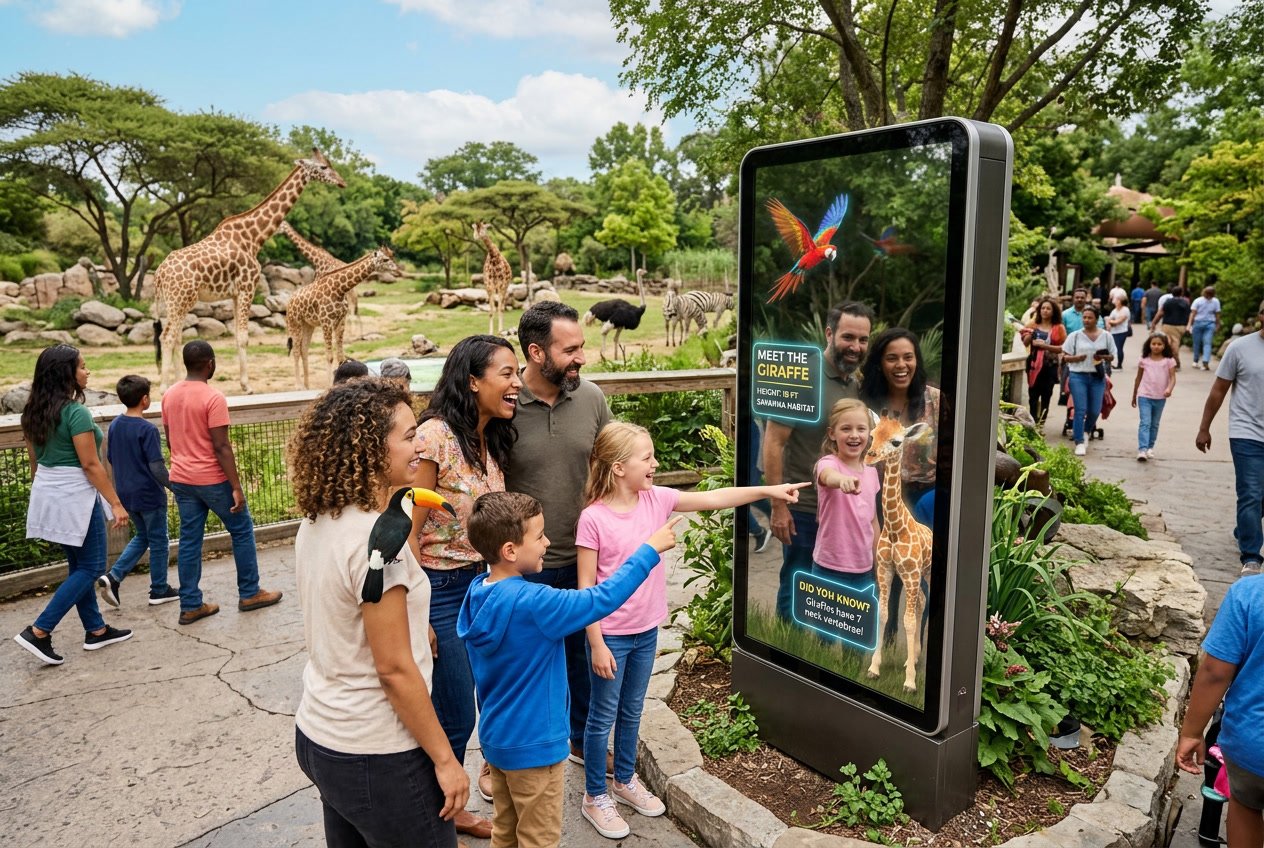
AR mirrors give zoo visitors a chance to pose with virtual animals and instantly receive themed photos to share. These interactive experiences strengthen connections between guests and the park. The use of ar in zoos is proving to be a powerful tool for driving online visibility through social media sharing.
Add an augmented reality attraction, people pose and get themed photo between animals
AR mirrors create immersive AR experiences where you can stand in front of a large screen and see yourself alongside virtual animals in real time. The technology places 3D animals next to you on the display, making it look like you’re posing with a tiger, elephant, or penguin. You can wave, move around, and interact while the virtual animals respond to your movements.
These installations work without any app downloads. You simply walk up to the mirror, and the AR content appears on screen. The system captures your photo automatically, showing you standing with animals that would be impossible to photograph safely in real life. This type of interactive learning lets children see animal details up close while parents snap memorable pictures. The experience takes just a few minutes but creates a unique moment that traditional exhibits can’t match.
Create relationship between your public and your parc
AR mirrors build stronger emotional connections between you and the zoo. When you interact with virtual animals through these mirrors, you engage with wildlife in a personal way that feels more memorable than reading exhibit signs. The technology lets you control your experience by choosing which animals to pose with and how long to stay.
This visitor engagement extends beyond entertainment. Many AR mirrors include educational prompts that teach you about animal behavior, conservation status, or habitat needs while you pose. You retain information better when you’re actively participating rather than passively observing. The mirrors also accommodate visitors of all ages and abilities, since everyone can see themselves on screen regardless of height or mobility. This inclusive approach makes your zoo visit feel more personalized and welcoming.
Increase online reservations, each visitors getting the AR Mirror photo can share it on Instagram in exchange of a goft
AR mirror photos become powerful marketing tools when you share them on social media. Most zoo AR mirror systems let you receive your photo instantly via email or QR code scan. In exchange for posting the image on Instagram, Facebook, or TikTok with the zoo’s hashtag, you might receive a small gift like a discount coupon, free drink, or souvenir sticker.
This strategy turns your visitor experience into organic promotion. Each photo you share reaches your entire social network, exposing the zoo to potential visitors who see your fun moment with virtual animals. Your friends and followers see authentic content from a real guest rather than a paid advertisement. The zoo gains visibility without additional advertising costs, and you get a reward for participating. Studies show that user-generated content drives more online reservations than traditional marketing because people trust recommendations from friends over branded messages.
Key Applications of AR Mirrors in Zoo Settings
An ar mirror for zoo exhibits creates interactive experiences that blend physical visits with digital engagement. These installations allow you to interact with virtual animals and educational content. They generate shareable moments that benefit both visitors and the facility’s marketing goals.
Selfie with animals
AR mirrors let you pose alongside virtual animals that appear next to you on screen. You can stand in front of the mirror and see yourself with a life-sized tiger, elephant, or endangered species that might be sleeping or off-display during your visit.
The technology overlays realistic 3D animal models onto your reflection in real-time. You can move around and the virtual animal stays positioned correctly in the frame. This creates photo opportunities with species that would be dangerous or impossible to approach in real life.
Most AR mirror installations include a camera function that captures your photo automatically. You get a digital copy sent to your phone or email within seconds. The images show you interacting with animals in ways that look realistic and engaging.
Answer quiz by noding head left or right and win some price by sharing your score on Instagram
Educational games built into AR mirrors use head tracking to detect your movements. You nod left or right to answer quiz questions about animal facts, conservation status, or habitat information. The system recognizes your head position and registers your answer without requiring you to touch any screens.
Questions appear on the mirror display with two answer choices positioned on opposite sides. A typical quiz covers topics like animal diets, geographic ranges, or endangered species facts. You might answer 5-10 questions in a single session that lasts about two minutes.
The AR app calculates your score and displays it on screen with graphics and animations. You can win digital badges or coupons for the gift shop based on your performance. The mirror prompts you to share your results on Instagram to claim prizes or discounts on your next zoo visit.
Increases sales and amount of yearly visitors due to the Instagram stories shared
Your Instagram stories featuring AR mirror content reach your followers and create free marketing for the zoo. Each shared photo or quiz result acts as authentic promotion that shows real visitor experiences. Studies show that user-generated content performs better than traditional advertising because it comes from trusted sources.
Zoos track visitor numbers and revenue before and after installing AR experiences. The data shows measurable increases in both metrics when visitors actively share content on social media. New visitors often cite social media posts as their reason for choosing to visit.
The shareable nature of AR mirror content extends your zoo visit beyond the physical location. Your posts can influence friends and family to plan their own trips. This creates a cycle where each visitor becomes a potential promoter through their social media activity.
Real-World Case Studies of AR Mirrors in Zoos
Several zoos have successfully implemented AR mirror technology to create interactive experiences that blend digital content with physical spaces. These case studies highlight the successful integration of ar in zoos across different continents. These installations use large screens and motion-tracking technology to create photo opportunities.
AR Mirror at Pairi Daiza, Belgium, by Mirror Experience
Pairi Daiza Zoo partnered with Mirror Experience to install an AR mirror system that lets visitors interact with virtual versions of zoo animals. The system uses a large display screen that acts as a digital mirror, showing visitors their reflection while adding animated animals into the scene. When you stand in front of the mirror, sensors detect your movement and position.
The installation allows you to see yourself standing next to endangered species or extinct animals that the zoo cannot house. You can take photos and videos of these interactions to share on social media. The technology helps educate visitors about wildlife conservation by bringing them face-to-face with animals they might never see in person.
INDE Solutions at Toronto Zoo
INDE created the BroadcastAR experience for Toronto Zoo, which uses large-screen AR technology similar to mirror installations. The Air, Land & Sea installation, developed with National Geographic, displays virtual animals that appear to share the same space as visitors. You see yourself on screen interacting with digital versions of wildlife through motion sensors.
This system has also been implemented at Melbourne Zoo and other locations worldwide. The technology tracks your movements in real-time and adjusts the digital animals accordingly. INDE’s installations focus on creating engaging photo opportunities while teaching visitors about different species and their habitats.
Interactive Installations at U.S. Zoos
Multiple zoos across the United States have adopted AR mirror technology to enhance visitor engagement. Aquarium of The Bay uses similar large-screen AR installations to create interactive experiences with marine life. These systems work by displaying your image on a screen while digital animals swim or walk around you.
The installations appeal to younger visitors who expect interactive digital experiences. You can control some aspects of the experience through gestures and movements. These AR mirrors help zoos compete with other entertainment options by offering unique experiences that combine education with technology.
Design Considerations and Challenges
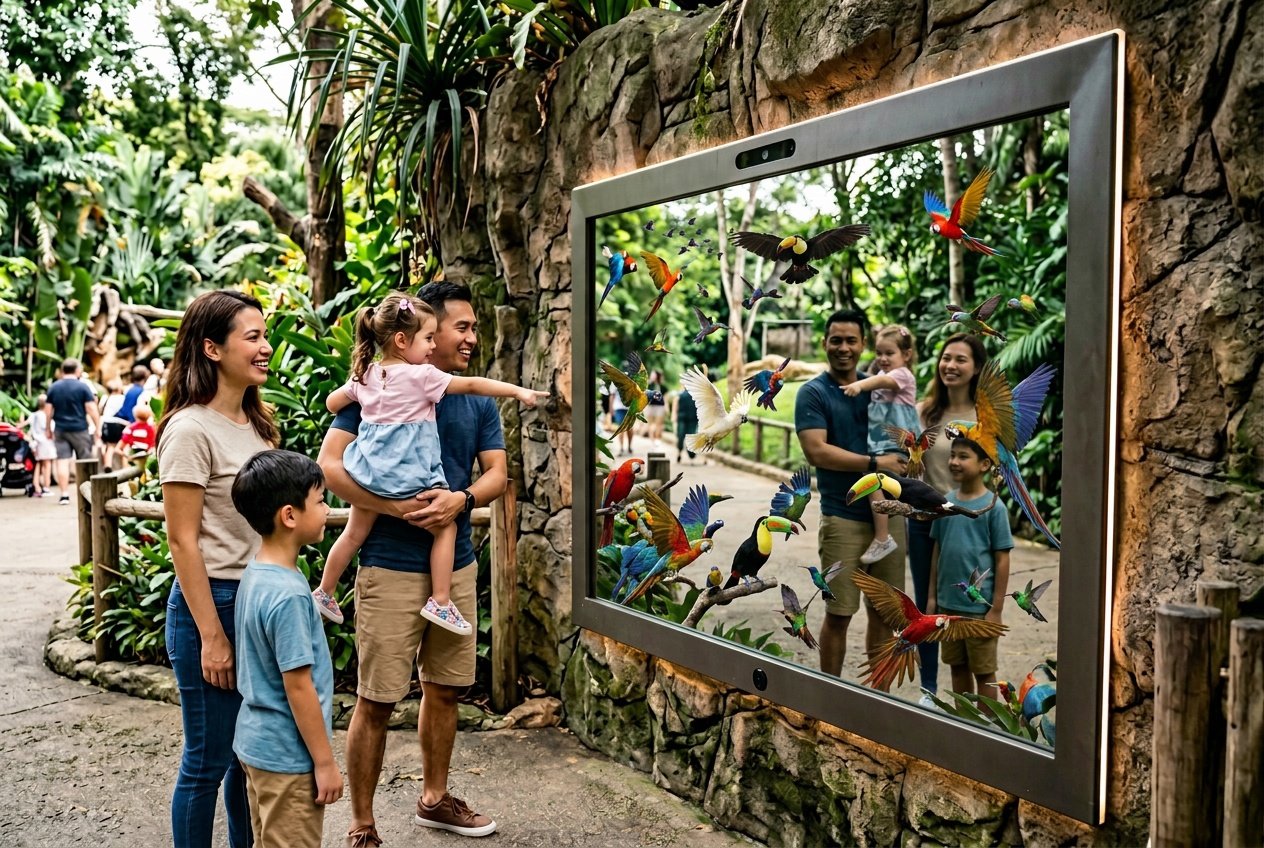
AR mirrors for zoos need careful planning to work well in busy outdoor settings. Technical reliability, visitor accessibility, and smart placement all affect whether these installations succeed or fail.
Internet connexion, Mirror Experience solutions can work offline
Your AR mirror system needs to function without relying on constant internet access. Many zoo locations have spotty Wi-Fi coverage or dead zones, especially in outdoor exhibit areas. Building your AR mirror to work offline prevents frustrating delays and keeps the experience smooth for visitors.
You can store all 3D animal models, animations, and interactive content directly on the mirror’s local hardware. This approach eliminates loading times and ensures that gestures and interactivity respond instantly when someone steps in front of the screen. The system can still sync data or analytics when connectivity is available, but the core experience runs independently.
Offline functionality also protects against network outages during peak visiting hours. When hundreds of families are using their phones simultaneously, bandwidth gets stretched thin. Your AR mirror continues operating normally while other online features might slow down or fail.
Accessibility and Usability for All Visitors
Your AR mirror design must work for visitors of all ages, heights, and abilities. Screen placement at a fixed height creates problems when children, wheelchair users, and tall adults all want to interact with the same installation. Consider adjustable camera angles or wide-angle lenses that capture visitors at different heights within the same frame.
Touch-free gesture controls work better than physical buttons in high-traffic zoo environments. You can use motion sensors that detect raised hands or body movements to trigger different AR animals or effects. This contactless approach also reduces maintenance needs and keeps surfaces cleaner.
Clear visual instructions should appear on screen to guide first-time users. Simple icons showing hand gestures or where to stand help visitors understand the interactivity without requiring staff assistance. Multiple language options make your installation accessible to international tourists and local Spanish-speaking communities.
Crowd Management and Hardware Placement
You need to position your AR mirror where it handles foot traffic without creating bottlenecks. High-traffic pathways near popular exhibits attract more users but can cause congestion during peak hours. Strategic placement slightly off main walkways gives families room to gather and take photos while other visitors pass by.
The perspective and viewing angle matter for group photos. Installing your mirror at a slight angle or in a corner lets multiple people see themselves on screen while leaving space for others to walk past. You can also use floor markings to indicate optimal standing positions for the best AR effect.
Consider installing multiple AR mirrors at different locations rather than one central unit. This distribution spreads out crowds and reduces wait times during busy weekends. Each mirror can feature different animals or interactive experiences, giving visitors reasons to seek out all installations throughout the zoo.
Hardware durability is essential for outdoor zoo environments. Your screens need weatherproof housings that withstand rain, direct sunlight, and temperature swings. Anti-glare coatings help visitors see the AR effects clearly even in bright afternoon sun.
Future Directions and Potential of AR Mirrors in Zoos
AR mirrors can transform how zoos engage visitors through new display technologies, expanded access for educational groups, and proven retail strategies adapted for wildlife settings. These developments will help zoos increase foot traffic while delivering richer educational experiences.
Emerging Technologies in AR Displays
AR mirror technology is advancing rapidly with better tracking systems and more realistic overlays. New depth-sensing cameras can detect your movements with greater precision. This means digital animals or information will align more naturally with your real-world position.
Hand gesture recognition is becoming more sophisticated. You can interact with virtual content without touching screens or using controllers. Facial expression recognition opens new possibilities for personalized experiences based on your reactions.
Large-format AR mirrors are becoming more affordable and easier to install. You’ll see these deployed at multiple exhibits instead of just one location. Some zoos are testing transparent AR displays that blend seamlessly into viewing windows, letting you see both real animals and digital overlays simultaneously.
Opportunities for Field Trips and Remote Access
AR mirrors offer unique benefits for field trip groups visiting zoos. Teachers can use these installations to drive engagement with specific curriculum topics. Students can see skeletal systems, migration patterns, or conservation challenges overlaid on real exhibits.
Remote access through connected AR mirrors creates new educational opportunities. Schools without zoo access can connect to AR experiences that mirror what on-site visitors see. This expands your zoo’s reach beyond physical boundaries.
Field trip packages built around AR mirror experiences give schools structured learning objectives. Students complete interactive challenges at different mirror stations throughout the zoo. This approach keeps groups engaged while meeting educational standards.
Expanding In-Store Experiences to Zoo Environments
Retail stores have proven AR mirrors drive engagement and increase foot traffic. Zoos can apply these same principles to visitor experiences. Fashion retailers use AR mirrors to show products on customers without physical try-ons. Zoos can use similar technology to show animals in different habitats or at different life stages.
Gift shops can deploy AR mirrors to show merchandise in action. You might see how a stuffed animal compares to its real counterpart’s actual size. Photo opportunities with virtual animals create shareable moments that promote the zoo on social media.
AR mirrors near food courts or rest areas keep you engaged during downtime. These installations turn waiting areas into educational spaces. This strategy extends dwell time and enhances your overall visit quality.
Frequently Asked Questions
AR mirrors at zoos raise practical questions about how they work, what they need, and how they fit into existing exhibits. These answers help zoo teams understand the technical requirements, visitor interactions, and important considerations for successful deployment.
How does an augmented reality mirror enhance the visitor experience at a zoo?
An AR mirror creates memorable photo moments by placing digital animals or effects alongside visitors in real time. When you stand in front of the display, you see yourself on a large screen with virtual wildlife appearing next to you or interacting with your movements. This technology turns a standard zoo visit into a shareable experience that visitors often post on social media.
The interactive nature keeps people engaged longer at exhibits. Instead of just reading a sign, you become part of the story when a virtual tiger appears beside you or butterfly wings attach to your shoulders on screen. These moments are fun for kids and adults alike.
AR mirrors also deliver educational content in an entertaining way. While you pose with a virtual animal, the screen might display facts about that species, its habitat, or conservation status. This combination of play and learning makes information more memorable than traditional signage alone.
What hardware and software are required to install an AR mirror in a zoo exhibit?
A basic AR mirror setup needs a large display screen, a camera, and a computer running specialized AR software. The screen shows visitors what the camera captures, with digital elements layered on top in real time. Professional installations typically use commercial-grade displays that can withstand outdoor conditions and heavy daily use.
The software component handles the AR effects and body tracking. Some systems use patented technology that detects key points on the human body without requiring markers or sensors. This means visitors can interact in any clothing and from various distances without wearing special equipment.
Installation also requires mounting hardware and reliable power sources. Indoor exhibits offer more straightforward setup, while outdoor locations need weatherproof enclosures and may require additional electrical work. Many zoo AR mirrors run on dedicated computers, though some newer WebAR solutions can work through browsers on shared devices.
How do visitors interact with an AR mirror, and can it work with their phones?
Visitors typically interact with AR mirrors simply by standing in front of them. The camera detects your position and movements, and the screen displays you alongside virtual animals or effects. No special actions are required beyond moving into the camera’s view.
Some AR mirror installations include touchscreens or gesture controls for selecting different animals or effects. You might wave your hand to switch from a virtual elephant to a giraffe, or touch the screen to choose a specific background. These controls vary by system and zoo preferences.
Phone integration depends on the specific installation. Traditional AR mirrors work as standalone units without requiring visitor smartphones. However, many systems include a share feature that lets you scan a QR code or receive a text message with your AR photo. This makes it easy to post your experience on social media immediately after capturing it.
How does an AR mirror compare to hologram-style zoo displays in realism and engagement?
AR mirrors show digital content on a flat screen, while hologram displays project three-dimensional images into physical space. Holograms can appear more realistic because they occupy actual space rather than existing only on a display. However, AR mirrors excel at personalization by putting you directly into the scene with the virtual animal.
Engagement patterns differ between the two technologies. AR mirrors create natural photo opportunities because you appear in the image alongside the digital content. Holograms are impressive to watch but don’t always invite the same level of personal interaction or social sharing.
Cost and maintenance also vary significantly. AR mirrors typically require less specialized equipment than true holographic displays, making them more accessible for many zoo budgets. The software for AR mirrors updates more easily, allowing zoos to refresh content or add new animals without replacing hardware.
What privacy, safety, and accessibility considerations should a zoo address when deploying an AR mirror?
Privacy concerns center on how visitor images are captured, stored, and shared. Your zoo should clearly post signage explaining whether the AR mirror records footage and how long any images are kept. Most systems delete photos immediately after sharing or within 24 hours, but visitors deserve to know your specific policy before stepping in front of the camera.
Data security matters when AR mirrors offer photo sharing via text or email. You need systems that protect visitor contact information and comply with privacy regulations. If families can share photos through the system, ensure proper encryption and data handling practices are in place.
Physical safety requires proper installation and clear usage guidelines. AR mirrors need stable mounting to prevent tipping, especially in high-traffic areas where children might lean on displays. Keep cords secured and out of walkways to prevent tripping hazards.
Accessibility features help all visitors enjoy AR mirrors. Position displays at heights that work for wheelchair users and children. Include audio descriptions for visually impaired visitors when possible. Some AR systems offer adjustable sensitivity settings to accommodate different mobility levels and interaction styles.